

Welcome to CompareForexBrokers: The New Home of LearnMoney
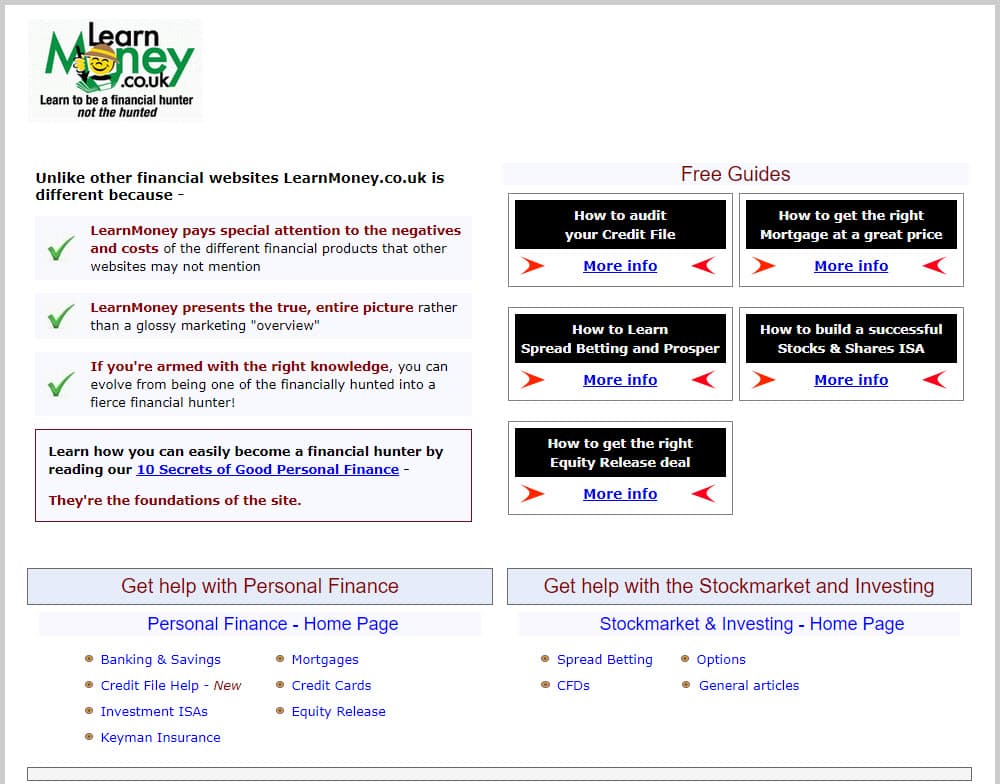
Looking for LearnMoney.co.uk? Are you in the right place? As of October 2023, CompareForexBrokers and Learn Money have merged to become your one-stop resource for all things personal finance, investing and money management.
Why The Merger?
We have combined the content of both sites to combine uniqueness that is helpful for traders.
CompareForexBrokers.com is one of the best-known, most trusted resources for Forex trading. We rigorously analyse and assess the pros and cons of the best online brokers and have a deep knowledge of the tools and techniques required to build independent, individual wealth.
LearnMoney.co.uk provides the practical personal finance skills and resources necessary to make the best use of your resources – whether you earn them trading or elsewhere. Whether you’re looking for the UK best spreads betting broker or the top CFD trading platform in UK, you’re in good hands. Collectively, we bring over two decades of experience trading forex and CFDs, spread betting and teaching personal finance to the table.
Justin Grossbard And Alex Hoar
Justin Grossbard – the founder of CompareForexBrokers says bringing LearnMoney.co.uk into the family is a natural evolution that makes sense. “CompareForexBrokers have been helping readers find the right brokers for them, LearnMoney.co.uk have been educating their readers about all aspects relating to the same products.”
Alex Hoar who continues to trade voices that he is happy to have combined his unique content with an established regulated site. Alex said, “While there is a fair distance between Justin and I as I’m based in the UK while he is an Aussie we have the same commitment to test and report on the findings”.
Combining Our Spread Betting UK Knowledgebase
In the first step of our merger, we’ve pooled our collective wisdom on spread betting to create a UK-focused knowledgebase that’s truly unparalleled. From strategy to broker selection, we’ve got every angle covered. Our aim? To give you the most reliable and actionable insights in the industry. In the case of making a spread bet, the how to spread bet guide section is worth visiting as is the exclusive spread betting calculator page.
The cherry on top is our commitment to featuring only FCA-regulated spread betting brokers. This isn’t just a stamp of approval; it’s our pledge to you that the brokers we recommend have been rigorously vetted. So, you can trade knowing you’re backed by the highest standards of regulation in the UK.
Expanding Information on CFDs
Our CFD section has undergone a significant expansion, and for good reason. CFDs offer a world of trading opportunities, from forex to commodities. We’ve enriched our content to provide you with a well-rounded understanding of CFD trading, whether you’re just starting out or looking to refine your strategies. If you looking to trade Contracts For Differences the what are CFDs page is recommended.
And let’s not forget about trust. Every broker featured in our CFD section is FCA-regulated. This ensures that you’re not just getting a broad range of trading options but also the peace of mind that comes with knowing your chosen broker meets the UK’s stringent regulatory requirements.
Comparing Trading Platforms
As discussed, the merger combines the spread betting and CFD sections for the two sites. The most popular sections with each topic regard comparing the brokers.
In summary, both comparison pages only compare FCA-regulated brokers. In fact, most UK pages that feature brokers are regulated by The Financial Conduct Authority. This is to avoid broker scams and ensure individuals who follow our guides can trust the broker selected. We also have a page dedicated to the best forex broker in UK.
Feedback On The Merger
If you have questions about how to get the most out of the new site or ideas for new content, don’t hesitate to get in touch with Justin at [email protected]. We want to ensure that you continue to get as much – no, more! – value out of your experience and are committed to publishing content that you can use. We’re passionate about educating savvy consumers on the best ways to build a stable financial future, grow a portfolio or even choose a credit card. Relevant resources matter to us.
We understand that this is a big change, but we’re optimistic that, by combining forces, both CompareForexBrokers and LearnMoney.co.uk will have the opportunity to reach a larger audience and educate more smart consumers like you about the best use for their funds.
Neither CompareForexBrokers nor LearnMoney.co.uk are licensed UK financial advisors. CompareForexBrokers does have an Australian Financial Services Licence No. 47137 and has operated since 2014. Always consult with a licensed financial planner or other professional in your jurisdiction before making a significant investment decision.